




Uber for House Cleaning App to Launch Your On-Demand Cleaning Business





Recognized by Clients, Verified by Reviews.
Backed by over 9+ years of product development expertise, RadicalStart is the trusted choice for founders building solutions like Uber for House Cleaning App.























Start an on-demand house cleaning business with a ready-made app
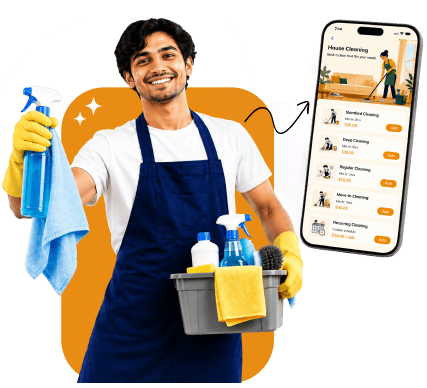
Homeowners are busier than ever, and regular house cleaning is one of the first things that gets pushed aside. This created a steady demand for a house cleaning app like Uber, one that lets people book a trusted cleaner in a few taps instead of calling around.
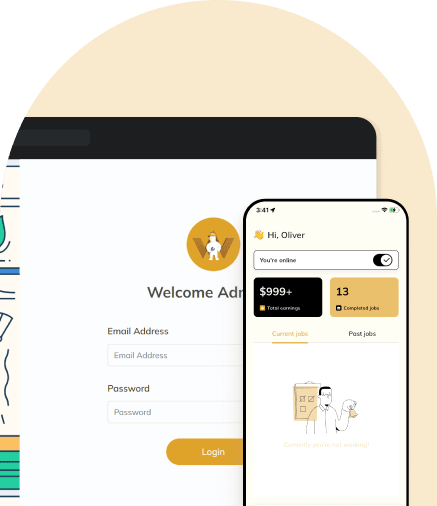
Uber for house cleaning app development from scratch means solving a long list of technical problems before you've signed up a single customer. RadicalStart's ready-made home cleaning app development already has the groundwork in place: an admin panel to run your business, a cleaner app for your service providers, and a customer app built for quick, simple booking. You bring your brand and your local market, and the platform handles the operational backbone.
How an on-demand cleaning service app earns you money
Your app connects two groups: homeowners who need cleaning done, and cleaners who want the work. Every booking that goes through your platform is a chance to earn.

Match customers with available cleaners nearby
Customers browse and book cleaners in their area without waiting on callbacks or quotes. Faster matches mean more completed bookings for your business.

Offer one-time and recurring cleaning bookings
Some customers want a single deep clean, others want the same cleaner every other week. Supporting both booking types means you're not leaving repeat business, and repeat revenue, on the table.

Take a cut from every completed booking
Set a commission or service fee on each job completed through your platform. This is the core of how your business earns, and it scales automatically as bookings increase.

Make customers comfortable booking someone new
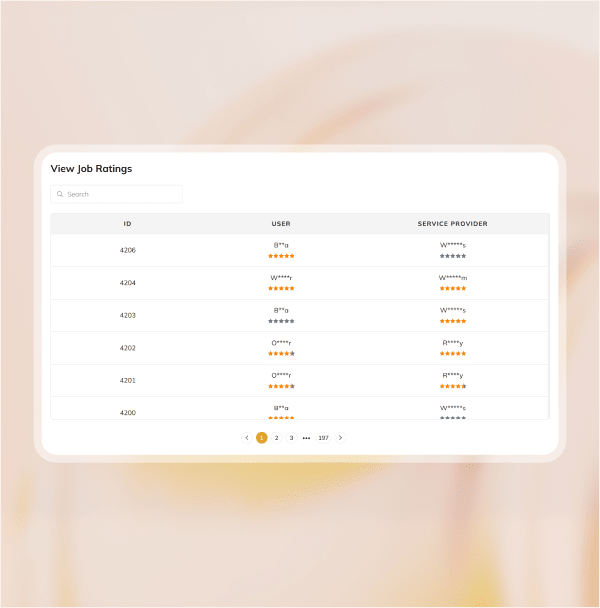
Cleaner verification, visible ratings, and clear service details help first-time customers book with confidence, which matters a lot in a service built on letting a stranger into your home.
Why a ready-made cleaning app is the practical way to start this business
You could hire a development team and spend months building an on-demand house cleaning app like Uber yourself, with no guarantee the end result actually works well. Buying a ready-made platform removes most of that risk.
Get your app live in weeks instead of spending months in development
Pay once instead of carrying a development team on payroll
Start with booking, scheduling, and payout systems that are already tested
Customize your branding, service types, and coverage area to fit your market
Expand features later as your business grows, without rebuilding the app
Essential features for your Uber for house cleaning app

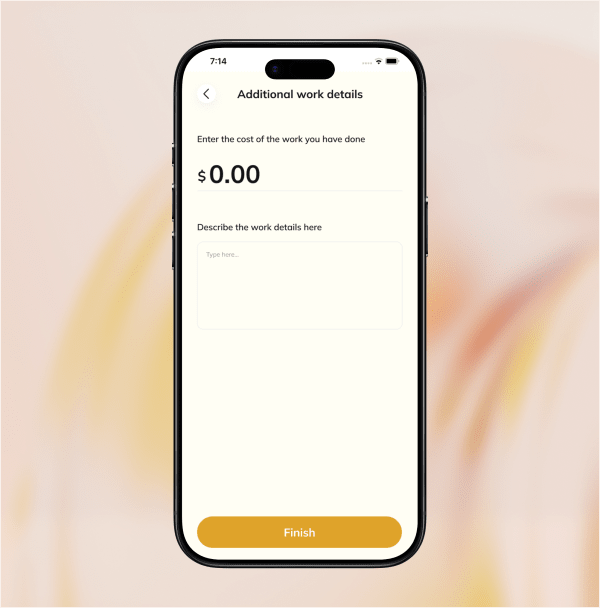


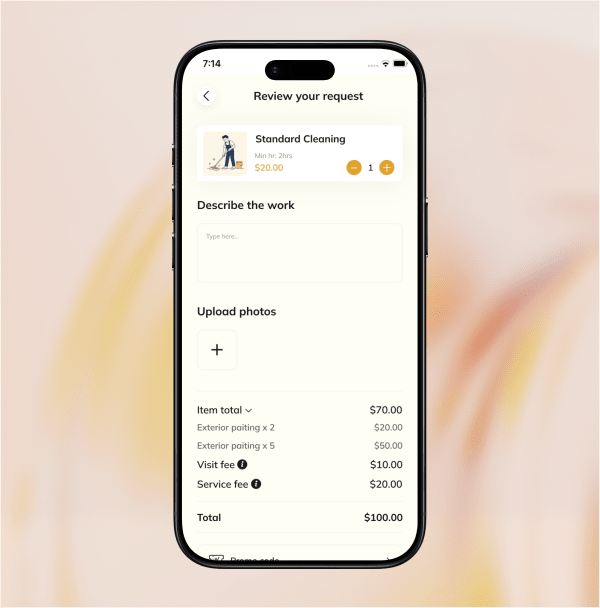
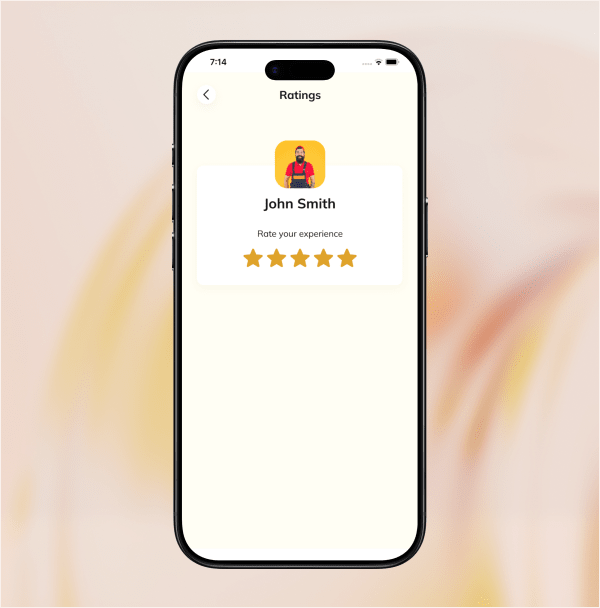
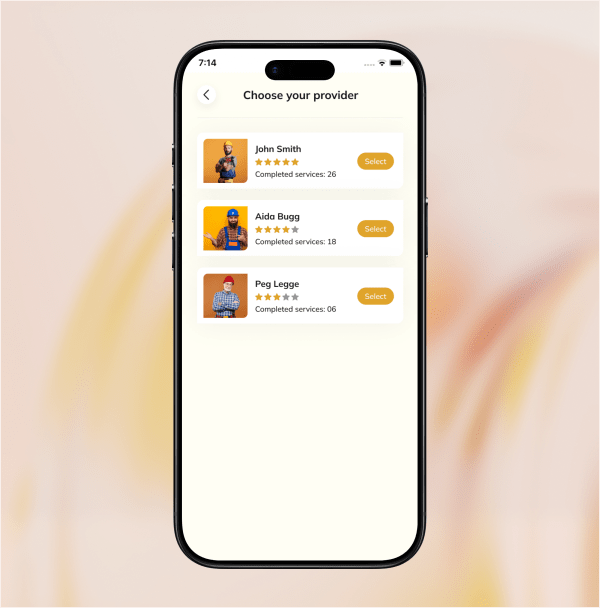
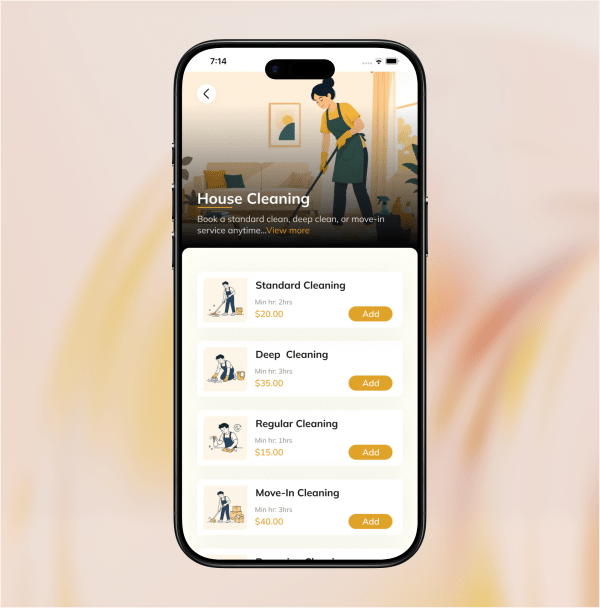
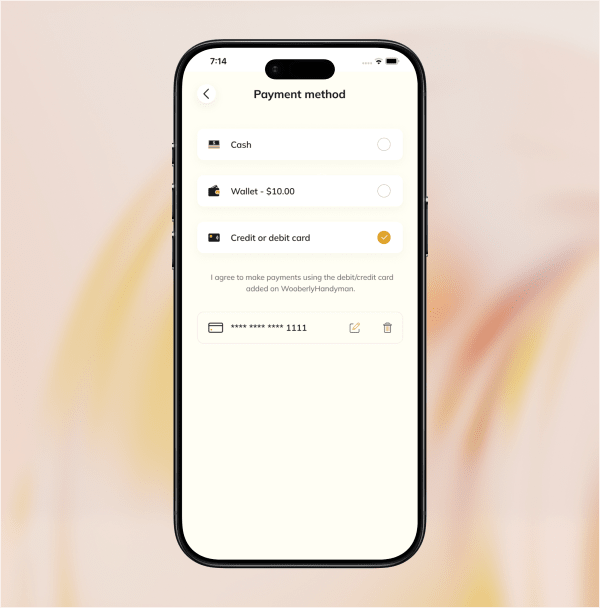
Unique features for your on-demand home cleaning services app
Multi-language support
Run your platform in the language your local market speaks, instead of limiting yourself to English-only customers and cleaners.
In-app wallet
Customers load funds once and pay instantly on future bookings, which reduces friction and abandoned bookings.
Promo codes
Run discounts to attract new customers or bring back existing ones, useful for filling slower booking periods.
Built-in cancellation handling
Set clear cancellation rules upfront, so there's less back-and-forth between customers and cleaners when plans change.
Full job history and timeline
Every past booking is logged with a timeline view, useful for your records and for resolving customer questions later.
Real-time notifications
Booking confirmations and status updates go out automatically, so nobody's left checking the app for updates manually.
Multi-currency support
Price your service in local currency, which becomes important the moment you expand past your first city.
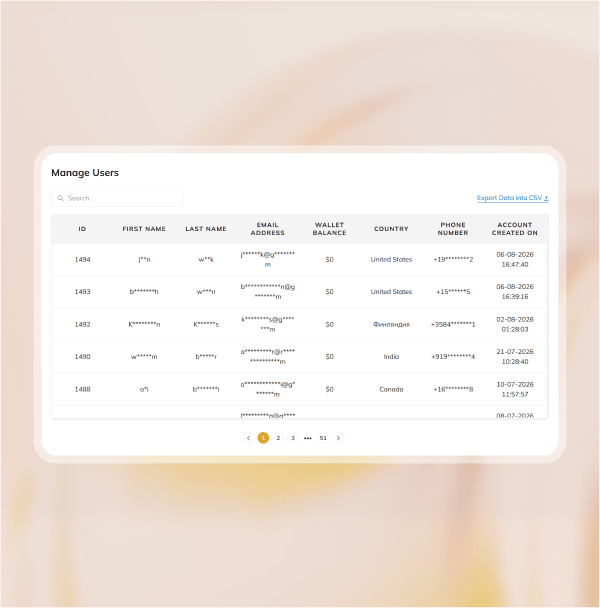
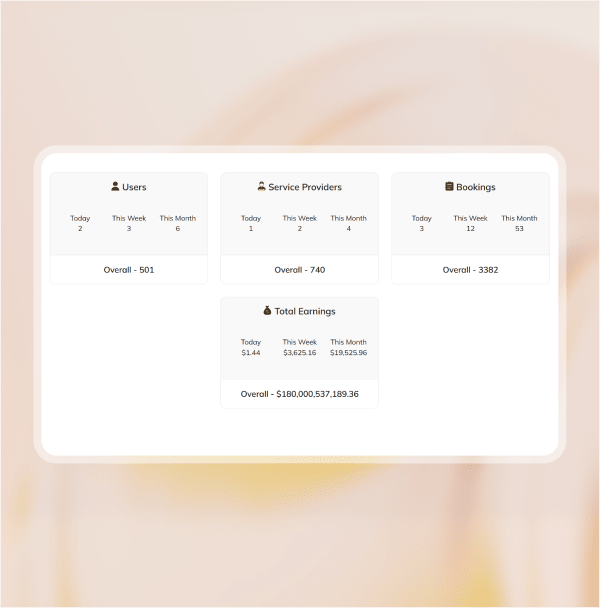
Business analytics dashboard
Track bookings, earnings, and overall activity from one dashboard, so your decisions are based on real numbers.
See the app in action



Schedule a one-on-one demo with our marketplace expert
What can you expect in this call?
Walk you through the complete flow for the cleaner app, customer panel, and admin panel in your Uber for House Cleaning app.
Explore the must-have features that help your home cleaning business launch faster.
Show you how our house cleaning app can be customized to match your business requirements.
Discuss custom integrations such as payment gateways, maps, notifications, and third-party services.
Explain how the Uber for House Cleaning app stays compliant with App Store and Play Store guidelines.

Sale! $999
Any Product for Just $999 Limited to the First 20 Customers!
Pricing plans
Expert
$4999 / One time fee
What's included:
- Single domain license
- Tech support for 3 months
- Free updates for 6 months
Expert Pro
$7999 / One time fee
What's included:
- Multi-domain license
- Tech support for 6 months
- Unlimited updates

Trusted by 600+ onboarded entrepreneurs.
A product from RadicalStart

“RadicalStart to be extremely helpful, supportive, and sensitive to our needs”

Eugene
Estadiasonline
Steps to launch your house cleaning app

Choose
Decide which plan suits your house cleaning app requirements.

Customize
Shape the branding, pricing, and service categories around the cleaning business you're building.

Set up and test
Every part of the app is tested before your first real customer or cleaner uses it.

Launch
Go live in your market and start bringing cleaners and customers onto the platform.
Other on-demand businesses you can launch with the same platform
House cleaning isn't the only service business this platform supports. The same admin, provider, and customer structure adapts to plenty of other local, on-demand services.
Uber for handyman services
A single platform where customers book electricians, plumbers, and repair professionals under one booking flow. Our Uber for handyman app is where this product line started, built for exactly this kind of multi-service booking.
Uber for dog walking
A platform connecting pet owners with nearby dog walkers for one-time or scheduled walks. Our Uber for dog walking app runs on the same admin, provider, and customer structure as your cleaning platform.
Uber for babysitters
A booking platform connecting parents with background-checked sitters for last-minute or recurring childcare needs, using the same instant-match booking flow.
Uber for snow removal
A seasonal, on-demand platform connecting customers with nearby providers for driveway, walkway, and lot snow clearing. It uses the same location-based matching and instant booking flow as your house cleaning app.
Technical architecture for your platform

React

Redux

Bootstrap

React Apollo

Express

Sequelize


GraphQL

MySQL

Socket.io

Firebase

Google Maps

Flutter

Why launch your house cleaning app with RadicalStart
You're not just getting an app; you're getting the support to actually launch and run one of the best house cleaning apps in your market.
They love working with us



Eugene
RadicalStart is extremely helpful, supportive, and sensitive to our need


Luiza
We found RadicalStart and they were very professional


Nangse
The products are very good, user friendly, and it's a very good strength
Frequently asked questions
Revenue mainly comes from three places:
- Commission - Take a percentage or flat fee from every completed booking; this is your core, ongoing revenue.
- In-app advertising - Sell space to local home service businesses, like pest control or handyman providers, for sponsored listings or geo-targeted ads within your app.
- Subscription plans - Offer cleaners a monthly plan for steady access to bookings, and offer customers a discounted plan for recurring cleanings.
Cleaners upload verification documents when they sign up, and you approve their profile before it goes live, so you control who's allowed to take bookings.
About a week.
RadicalStart's proven on-demand platform is pre-built and ready, so launching your house cleaning app is a matter of customizing it to your brand, features, and market.
Yes, the admin panel lets you manage multiple service areas from a single platform.
We will keep on adding new features, enhancements, and bug fixes. If you are eligible for unlimited updates, we will give you the updated source code files whenever we release a new version.
Even though upgrades are free, website reinstallation, mobile app reinstallation, and resubmission will be under additional cost.
If no custom changes were made, we can simply replace the files from the new version.
If we have worked on any custom changes, we need to compare the code and implement the changes.
Updates are completely free. However, if we need to compare and apply the changes, then we may charge you for the hours spent applying the upgrades.
Please get in touch with our team for more details.
If you or your team worked on any custom changes, we will only provide updated source code files and will not be able to provide support for tampered source code files.
Depending on the plan you purchased, you receive unlimited updates.
You can hire our team for additional support. It will be under additional cost.
It will begin from the date of purchase.
- Help you with text changes
- Help you with color changes
- Help you with the static content translation (for a maximum of 3 languages and 2 iterations for each language)
- Clarify your questions
- Bug fixing (If it's critical, we will give you a time frame to fix it. Otherwise, we will include the fixes in our updates)
- Issues in your local machine installation
- Reinstallation of the script
- Issues in Git due to not following the instruction
- Issues in modified code or if customization is done by you/your team
- Any custom changes that would need additional customization efforts
After the purchase, they will be available via email only and not be available for calls.
Our tech support team will respond to all your queries through email. It would take around 24 to 48 hours to respond during business days based on the queue.
We will install the script on your server one time free of cost. However, you may need to pay for additional installations.
We can proceed with Let's Encrypt SSL (It is a free, auto-renewal, and open certificate authority).
You are required to pay additional costs if you wish to install another SSL provider.
- Web admin panel / landing page theme color and font changes
- Web admin panel / landing page favicon changes
- App package name / Bundle ID changes
- App name changes
- App icon changes
- App theme color changes
- Firebase Crashlytic and FCM integration
We highly recommend AWS & DigitalOcean and also it will work fine on any Ubuntu-based hosting servers.
Here is the minimum server requirement,
- Operating System - Ubuntu 24.04
- Storage - 50GB (Should be expandable)
- RAM - 4GB (Should be expandable)
- MySQL - Version 8.0
- SSH with root user access
Note: The server should be plain.
The server should not have any configurations like Apache, any Database, etc.
A single-domain license can be used for only one business in a single domain. For example, mybusiness.com.
A multi-domain license can be used for any number of businesses on multiple domains. For example mybusiness1.com, mybusiness2.com, etc.
Static contents are rendered from the static language files in the web and mobile apps.
The dynamic contents are the inputs provided by the users/admin which are stored in the database (For example: Vehicle category name, location name, etc.).
Free tech support covers the static content translation for a maximum of 3 languages (2 iterations for each language).
Released: Jan 13, 2026
- Introduced a web panel that allows users to book handyman services directly through the platform
- PayPal Support: PayPal has been added as a new payment method for seamless transactions.
- Upgraded libraries to boost security and overall app performance
- Resolved minor bugs to ensure a smoother, more reliable experience
Released: May 23, 2025
- Bug fixes and performance improvement
Released: May 15, 2025
- Bug fixes and performance improvement
Released: May 15, 2025
- Migrated the latest library versions in mobile
- Bug fixes and performance improvement
Released: September 25, 2024
- Bug fixes
Released date: August 30, 2024
- Enable the admin to add homepage content in different languages
- Introduced a manual booking option for the admin to create a job request on behalf of the users
- Allow the admin to manage the preferred currency of users and service provider
- Migrated the latest library versions to mobile
- Bug fixes and performance improvement
Released date: Feb 9, 2024
- Bug fixes
Released date: Oct 26, 2023
- Squashed some bugs
Released date: Oct 6, 2023
- Squashed some bugs (User app)
Released date: Oct 3, 2023
- Introduced a 'preferred provider selection' option for users to select their preferred service provider
- The service provider can now update the status of the cash payment, even after the post-booking completion
- Bug fixes and performance improvements
Released date: Jul 29, 2023
- Bug fixes
Released date: Jul 21, 2023
- Included Google Pay payment option
- Manage Available payment options from the admin panel
- Migrated the latest version of libraries on the apps
- Improved the existing booking flow on the User app
- Bug fixes and performance improvements
Released date: May 15, 2023
- Revamped Stripe to add a payout bank account approach
- Security Improvements
- Bug fixes and performance improvements
Released date: Mar 15, 2023
- Manage site configuration from the admin panel
- Performance improvements and bug fixes
Released date: Jan 17, 2023
- Introducing the Dark mode feature with the user preference options
- Improved the Geolocation operations
- Improved the Additional workflow
- Improved the user cancel request flow
- Included RTL language support on the website and admin panel
Released date: Nov 22, 2022
User App
- Revamped the explore screen with a modern design
- Performance improvements and bug fixes
Provider App
- Performance improvements and bug fixes
Released date: Jun 30, 2022
- The delete account option is included in both Android and iOS apps
Released date: May 20, 2022
- Scheduled booking feature added
- Service receipt option added
- Now the receipt copies will be sent to both the user and the service providers via email
- User experience improved and bug fixes
- Improved admin panel 'Reviews Management' feature
Released date: Apr 11, 2022
- Improved user experience and bug fixes
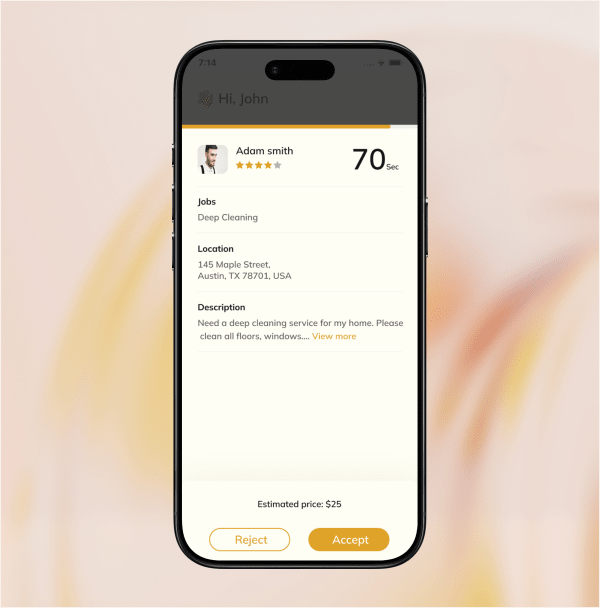
- Added notification sound for a new job request
- Added predefined cancel reasons to cancel the jobs
- Auto opens up the Android provider app when getting a new job request (The app is running in the background)
- Manage Tracking sections on the Admin panel
- Included image and video options for the CMS editor on the admin panel
- Nexmo SMS gateway integrated
- Manage preferred SMS gateway from the admin panel
Released date: Mar 24, 2022
Customer App
- Smooth registration process using phone numbers
- Get your phone number verified using Twilio SMS verification
- Pick your preferred language and currency for using the app
- Search for a specific category from the search input box
- Get a clear fare estimation for the service you requested
- View the current and past service booking details
- Receive instant notifications on all your service updates
- Track your service status using a timeline within the app
- View the service history details on the app
- Pay using cash, in-app wallet, or credit/debit card for your orders
- Save frequent locations such as home & others
- Leave a tip to the service provider based on the service quality
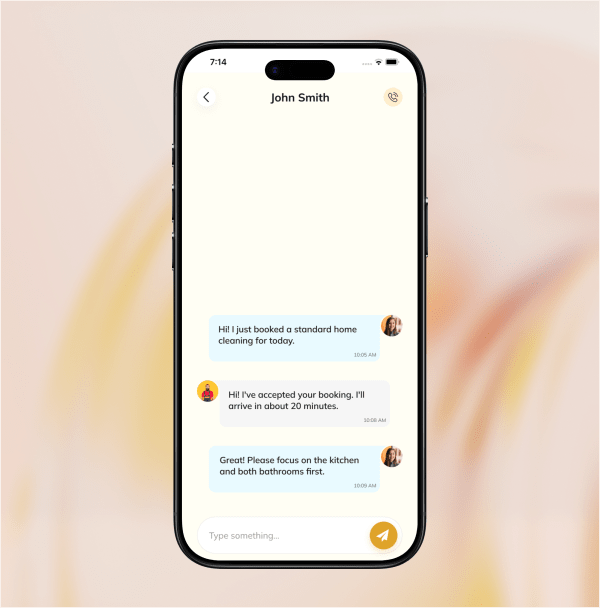
- Use the in-app chat feature to communicate with the service provider
Service provider app
- Smooth registration process using phone numbers
- Get your phone number verified using Twilio SMS verification
- Pick your preferred language and currency for using the app
- Upload documents to verify your identity and skill level
- Select the service category for which you want to receive requests
- Receive instant notifications on all your service updates
- Track and update the service status using a timeline within the app
- View the service history details on the app
- Add payout to receive the earnings to your bank account
- View the current and past services you performed
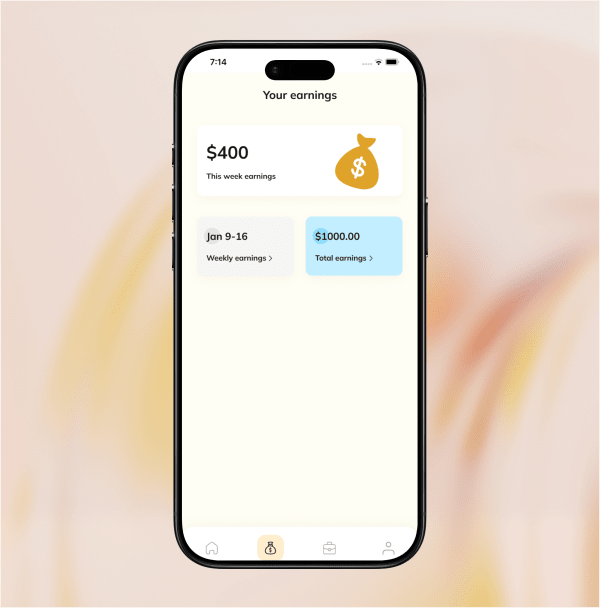
- View weekly, monthly, and total earnings
Admin panel
- Get an overview of the operations that happen on the platform
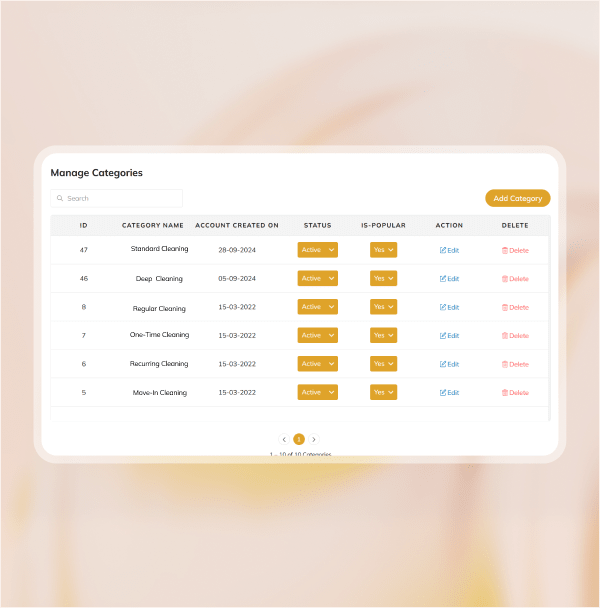
- Manage the service category that will be available on the platform
- Manage the service providers data and approve or disapprove them
- Add and manage services under each main category
- Add and manage locations where a business will operate
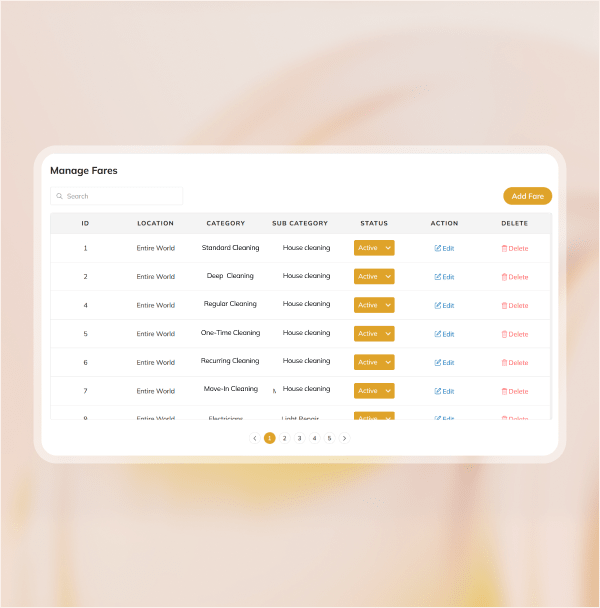
- Add fare to each service category
- Get all the information about jobs booked by the users on the platform
- Add and manage promo codes
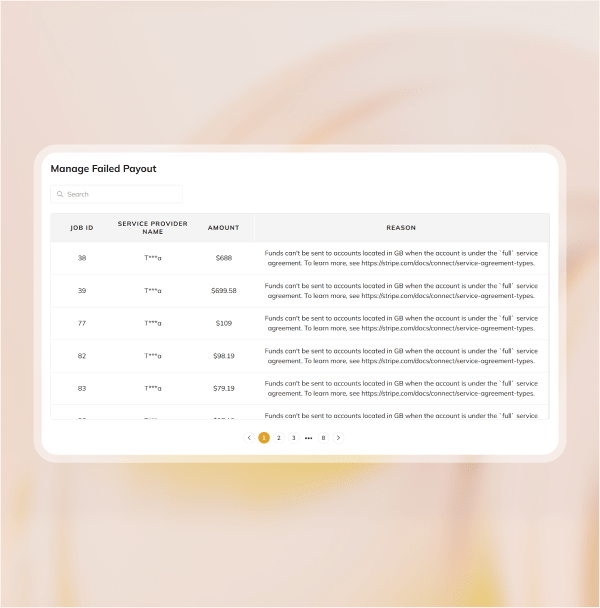
- Auto payout feature that automates the transfer of payments to the service provider

