




Uber for Tow Trucks App for business entrepreneurs





Recognized by Clients, Verified by Reviews.
Backed by over 9+ years of product development expertise, Wooberly Tow Truck is the trusted choice for founders building tow truck apps like Uber for Tow Truck.
























What is an Uber for Tow Trucks?
An Uber for Tow Trucks is a ready-made app that connects stranded motorists with nearby tow truck operators in real time, complete with a user app, service provider app, and admin panel.
In what way does our Tow Trucks App help you
Our Tow Truck App helps you launch and scale your business faster. Everything is built, tested, and ready to go, so instead of spending months and thousands on development, you go live under your own brand in weeks.

Who can benefit from our Tow Truck Apps

Fleet management companies
Fleet managers use it to dispatch tow trucks, track vehicles in real time, and manage breakdown requests across their entire fleet.

EV breakdown service providers
EV specialists use it to connect electric vehicle owners with certified breakdown operators who can handle battery and charging issues on the road.

First time founders
First-time founders use it to launch a fully branded roadside assistance app without writing a single line of code or hiring a development team.

Existing Tow operators going digital
Tow operators use it to move their business online, manage bookings through an app, and stop relying on phone calls and manual dispatching.
Services you can offer with our Tow Truck App

Towing
When a car breaks down and cannot move, your app helps the driver find a nearby tow truck to transport their vehicle to the nearest garage.

Jump Start
When a car battery dies, your app connects the driver with a nearby operator who can jump start their car and get them moving again.

Fuel Delivery
When a driver runs out of fuel, your app lets them request fuel delivery straight to their location so they can get back on the road.

Tyre Change
When a tyre goes flat, your app sends a nearby operator to the driver's location to change the tyre quickly and safely.

Lockout
When a driver gets locked out of their car, your app helps them find a nearby operator who can unlock their vehicle fast.

Winching
When a car gets stuck in mud, sand, or a ditch, your app dispatches a nearby operator to pull the vehicle out safely.
Custom development vs RadicalStart Uber for Tow Truck App
Building from scratch
RadicalStart’s Uber for Tow Truck
Time to Launch
Development Cost
Cross‑Platform
Customization
Support
See the platform in action
User panel
Explore the user web panel
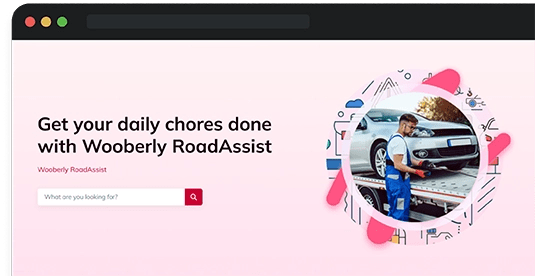
User app
Explore the user app in the app stores
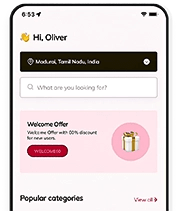
Service provider app
Check out the service provider app
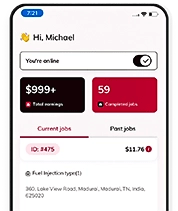
Admin panel
Explore the admin panel
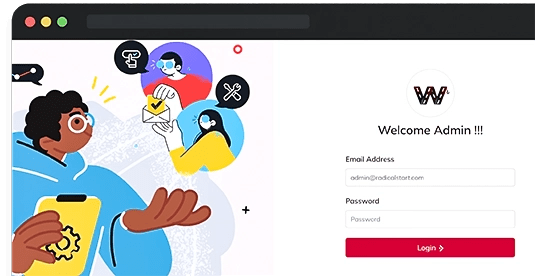
Roadside Assistance App features built for every role

Get time & distance estimation
Get the approximate distance the job will cover and the job duration when booking a distance-based service.

Select multiple categories
Add multiple services that are needed from the available service categories into a single booking.

Add job description and images
Describe the work needed from the service provider and add images for them to view & analyse the job.

Get estimated fare
Get the estimated fare for the services and the subtotal for a job even before booking the job.

Use promo codes
Avail the promo codes offered by the platform and get deductions from the job subtotal when paying for the job.

Precaution notification
Access the precautionary notification to follow the instructed measures for the service.

Choose service category
Select service categories from the available options to receive job requests only from those categories.

View the job description
View the job descriptions and images added by the users to get a sense of the job before accepting it.

Estimated distance & duration
Get the estimated job distance and the duration of the work in a distance-based job.

Get estimated earnings
View the estimated earnings for a job in the job acceptance window before accepting the job request.

Track the job
Track the status of the job, update the status, and cancel the booking through the track job page.

Use call & chat option
Contact the user through the call and in-app chat options to clarify any queries about the job.

Get platform overview
Get an overview of the user, service provider, booking count, and overall earnings from the dashboard.

Manage site settings
Manage the site settings, like the logos, the site name, title, metadata, and social media account links.

Manage site configuration
Control the site configuration settings, including the Stripe account, SMTP, push notifications, and such.

Mobile app settings
Manage app settings, the app force update setting, the service provider app job request window settings, and more.

Home page settings
Set and manage the content of your site's landing page, like its banner, category sections, footer, and such.

Manage service providers
Access the service provider's details, edit or delete their information, and even approve or ban them from the platform.

Sale! $999
Any Product for Just $999 Limited to the First 20 Customers!
Choose a plan that works for your business
Our Uber for Tow Trucks app comes with full source code ownership, all core features, and flexible licensing so you can launch fast and scale at your own pace.
Expert
$4999 / One time fee
What's included:
- Single domain license
- Tech support for 3 months
- Free updates for 6 months
Expert Pro
$7999 / One time fee
What's included:
- Multi-domain license
- Tech support for 6 months
- Unlimited updates

Trusted by 600+ onboarded entrepreneurs.
A product from RadicalStart

“RadicalStart to be extremely helpful, supportive, and sensitive to our needs”

Eugene
Estadiasonline
How to get customers for your Towing Business?

SEO optimization
When someone searches "tow truck near me" in your city, your platform should be one of the first results they see. Optimising your website with local keywords helps you get found by the right people without paying for every click.

Paid advertising campaigns
Running targeted ads on Google and Facebook lets you reach drivers and car owners in your city quickly. You can start with a small budget, see what works, and scale from there.

Social media marketing
Your local audience is already on Instagram and Facebook. Posting helpful content and real stories about your service builds trust and keeps your brand visible before someone even needs a tow.

Partnerships with auto and Roadside Businesses
Local auto repair shops, car dealerships, and insurance agents already deal with people who need roadside help. A simple referral partnership with them can bring you a steady flow of new customers without spending on ads.

Why choose RadicalStart for Your Tow Trucks startup?
RadicalStart gives you full source code ownership, unlimited updates, and a live tow truck app in days, not months. Built on Flutter, your iOS and Android apps run from a single codebase, making management simple. No hidden costs, just clear and upfront pricing from day one.
Our support included with every plan
Rebranding
We update your app logo, colours and content to match your brand so your app looks and feels like it was built just for your business.
Server Installation
We set up and deploy everything on your server so your platform is live and ready to take bookings from day one.
Mobile App Submission
We handle the full submission process for both the App Store and Google Play, so you do not have to figure it out yourself.
App Rejection Support
If your app gets rejected, we look into the reasons, fix what needs to be fixed, and resubmit it on your behalf.
Technology that grows with your business
Our Uber for Tow Truck app is built on a modern, proven tech stack that scales with your platform as your business grows.

React

Redux

Bootstrap

React Apollo

Express

Sequelize


GraphQL

MySQL

Dart

Firebase

Google Maps

Flutter

Everything You Need to Know
Get a full breakdown of the workflow, features, and technologies that power our Uber for Tow Truck App.
See what our customers say About Us



Eugene
RadicalStart is extremely helpful, supportive, and sensitive to our need


Luiza
We found RadicalStart and they were very professional


Nangse
The products are very good, user friendly, and it's a very good strength
Got Questions? We Have Answer
You do not need to build anything from scratch. Our Uber for Tow Truck is a ready-made white-label app that includes a user app, service provider app, and admin panel. We handle everything and get your app live in weeks.
Yes, we offer customisation to fit your specific business needs! Please note that customisation is available as a paid service. Just let us know what you're looking for, and we'll work with you to make it happen.
Yes, the platform is 100% customizable. However, if you modify the source code yourself, we will not be able to provide technical support for those changes.
You get a user app, service provider app, and admin panel for iOS and Android. Every purchase includes free white-labeling, server installation, app store submission, bug fixes, and product updates.
No, we handle server installation, app configuration, and app store submission for you. No developers or technical knowledge needed.
We will continue to enhance the solution, which means adding new features, improving the existing ones, and fixing bugs if they exist.
We offer unlimited updates if you are eligible. Whenever we release a new version, we offer the updated source code files.
Even while upgrades are free, website reinstallation, mobile app reinstallation, and resubmission will incur additional fees.
If no custom changes were made, we can simply replace the files from the new version.
However, if we have made any custom changes, we will need to compare the code and implement the changes using tools such as Beyond Compare.
Updates are completely free. However, if we need to compare and apply the changes, we may charge you for the hours spent applying the upgrade.
Please contact our team for further information.
If you or your team make specific changes, we can only provide updated source code files and will not be able to assist with tampered source code files.
Yes, depending on the package you purchase, we'll give you an update.
You can hire our team and contact them for further information.
The free technical support will begin on the date of your purchase.
- Help you with text changes
- Help you with color changes
- Help you with the static content translation (for a maximum of 3 languages and 2 iterations for each language)
- Clarify your questions
- Bug fixing (If it’s critical, we will give you a time frame to fix it. Otherwise, we will include the fixes in our updates)
- Issues in your local machine installation
- Reinstallation of the script
- Issues in Git due to not following the instructions
- Issues in the modified code, or if customization is done by you/your team
- Any custom changes that would need additional customization efforts
Following your purchase, you can contact our technical support team via email only, they will not be available for calls.
They will respond to all your queries via email, based on the queue.
It would take around 24 to 48 hours for our support team to respond during business days, based on the queue.
After the purchase, we will set up the script once on your hosting server at no cost. However, you may have to pay for additional installations.
We can proceed with Let's Encrypt SSL (Let's Encrypt is a free, automated, and open certificate authority).
If you wish to install another SSL provider, there will be an additional charge per SSL installation.
- Web admin panel/landing page theme color and font changes
- Web admin panel/landing page favicon changes
- App package name/Bundle ID changes
- App name changes
- App icon changes
- App theme color changes
- Firebase Crashlytics and FCM integration
We highly recommend AWS & DigitalOcean. It will also work fine on any Ubuntu-based hosting servers.
Here is the minimum server requirement,
- Operating System - Ubuntu 24.04
- Storage - 50GB (Should be expandable)
- RAM - 4GB (Should be expandable)
- MySQL - Version 8.0
- SSH with root user access
Note: The server should be plain. The server should not have any configurations like Apache, any Database, etc.
Static contents are rendered from the static language files on the web and mobile apps.
The dynamic contents are the inputs provided by the users/admin, which are stored in the database (For example, Vehicle category name, location name, etc).
Free tech support covers the static content translation for a maximum of 3 languages (2 iterations for each language).
A single-domain license can be used for one business using a single domain. Example: mybusiness.com.
The multi-domain license can be used for multiple businesses on multiple domains. Examples: mybusiness1.com, mybusiness2.com, and so on.
Released: January 7, 2026
- PayPal Support: PayPal has been added as a new payment method for seamless transactions.
- Upgraded libraries to boost security and overall app performance.
- Bug fixes and performance improvements.
Released: April 22, 2025
- Migrated the latest libraries to ensure optimal performance
- Bug fixes and performance improvements
Released: February 24, 2025
- Introduced a web panel for the user to book service
- Migrated the latest libraries to ensure optimal performance
- Bug fixes and performance improvements
Released: September 10, 2024
- Bug fixes
Released: August 10, 2024
- Enable the admin to add homepage content in different languages
- Bug fixes and performance improvement
Released: Mar 5, 2024
- Bug fixes.
Released: Jan 8, 2024
Service Provider App:
- Bug fixes.
Released: Dec 1, 2023
Service Provider App:
- Bug fixes in the iOS app.
Released: Nov 30, 2023
- Enhanced roadside assistance services with a real-time live tracking feature.
- Bug fixes and performance improvements.
Released: Aug 18, 2023
User App:
- Easy registration process using phone numbers.
- Get your phone number verified using Twilio SMS verification.
- Pick your preferred language and currency for using the app.
- Search for a specific category in the search input box.
- Receive a clear fare estimate for your requested services.
- View the details on current & past service bookings.
- Get real-time alerts on any updates to your service.
- Track your service status using a timeline within the app.
- View the service history details on the app.
- Pay using cash, an in-app wallet, or a credit/debit card for your service.
- Save frequently used locations such as home & others.
- Tip the service provider based on the service quality.
- Communicate with the service provider using the in-app chat feature.
Service Provider App:
- Easy registration process using phone numbers.
- Get your phone number verified using Twilio SMS verification.
- Pick your preferred language and currency for using the app.
- Upload documents for verification of identity and skill level.
- Choose which service category you prefer to receive requests for.
- Get real-time alerts about any updates on your service.
- Track and update the service status using a timeline within the app.
- View the service history details on the app.
- Add payout to receive the earnings in your bank account.
- View the current and past services you worked on.
- Access information on your weekly, and total earnings.
Admin Panel:
- Obtain an overview of all the activities taking place on the platform.
- Manage the service categories that the platform will provide.
- Manage the data provided by the service providers and approve or disapprove them.
- Add and manage the services under each main category.
- Add and manage the locations where the business will operate.
- Add fare to each service category.
- Get all the information about the jobs booked by the users on the platform.
- Manage and add Promo codes.
- Auto-payout feature automates the transfer of payments to the service provider.

